User Stories
Connect what a user needs to the engineering work that delivers it.
Write an outcome and acceptance criteria
Open Stories and create a story, or add one from a PRD's Stories tab. Use As a [persona], I want [capability], so that [benefit]. Add acceptance criteria as Given/When/Then scenarios or plain text. Link the story to its PRD, requirement keys, team and project.
For example: As a shopper, I want to save my checkout details, so that I can pay faster next time. Given I have consented to saving details, when checkout succeeds, then only the approved details are saved.
List and board
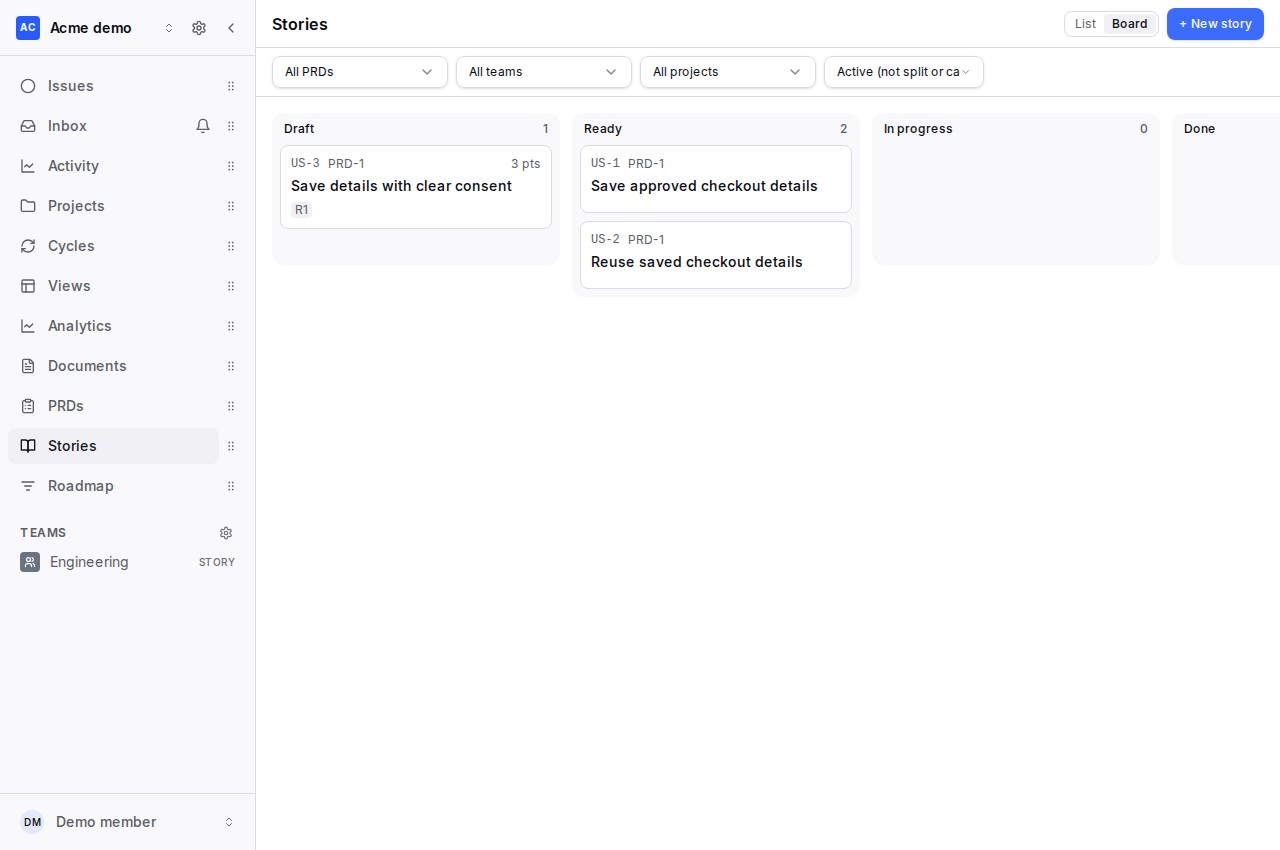
Switch between list and board views to plan Draft and Ready stories and track In Progress and Done work. Split and Cancelled stories are excluded by default. Manual editing, linking, splitting and issue creation are available on every plan, subject to workspace permissions and issue limits.
Split a large story
Choose Split and review the child stories, requirement links and acceptance-criterion mapping. The original remains as a Split parent so its history is preserved. The default suggestion threshold is above 8 points; a workspace can adjust it. Prefer a usable slice of value to separating frontend and backend work. A spike should have a time limit and a question it will answer.
- Workflow steps
- One story per step of the journey (e.g. save a card, then pay with it).
- Business-rule variations
- One story per rule or variation (e.g. domestic vs international shipping).
- Happy / unhappy path
- The success case first; failures and edge cases as their own stories.
- Data variations
- One story per kind of data handled (e.g. one currency, then many).
- Interfaces / platforms
- One story per interface or platform (web, mobile, API).
- CRUD operations
- Create, read, update and delete as separate stories.
- Defer performance
- Make it work first; make it fast or scale in a later story.
- Spike
- A time-boxed investigation first, when too much is unknown to estimate.
- Other
- Another way of slicing the work.
Use AI as a reviewable draft
- Business / Enterprise: From a PRD's Stories tab, choose Generate stories with AI. Pick requirements, inspect the estimated calls/cost, then review proposed stories grouped by requirement. Check uncovered Must/Should requirements, duplicate warnings and INVEST results. Edit or deselect proposals before creating the selected stories.
- Pro and above: Check a story against INVEST (Independent, Negotiable, Valuable, Estimable, Small, Testable), or ask for a split. Review suggested wording, smaller stories and acceptance-criterion mappings before applying them.
- Business / Enterprise: Choose Propose issues with AI on a story, selected stories, or the PRD story list. Inspect the cost, edit proposed tasks and their criterion coverage, and confirm creation.
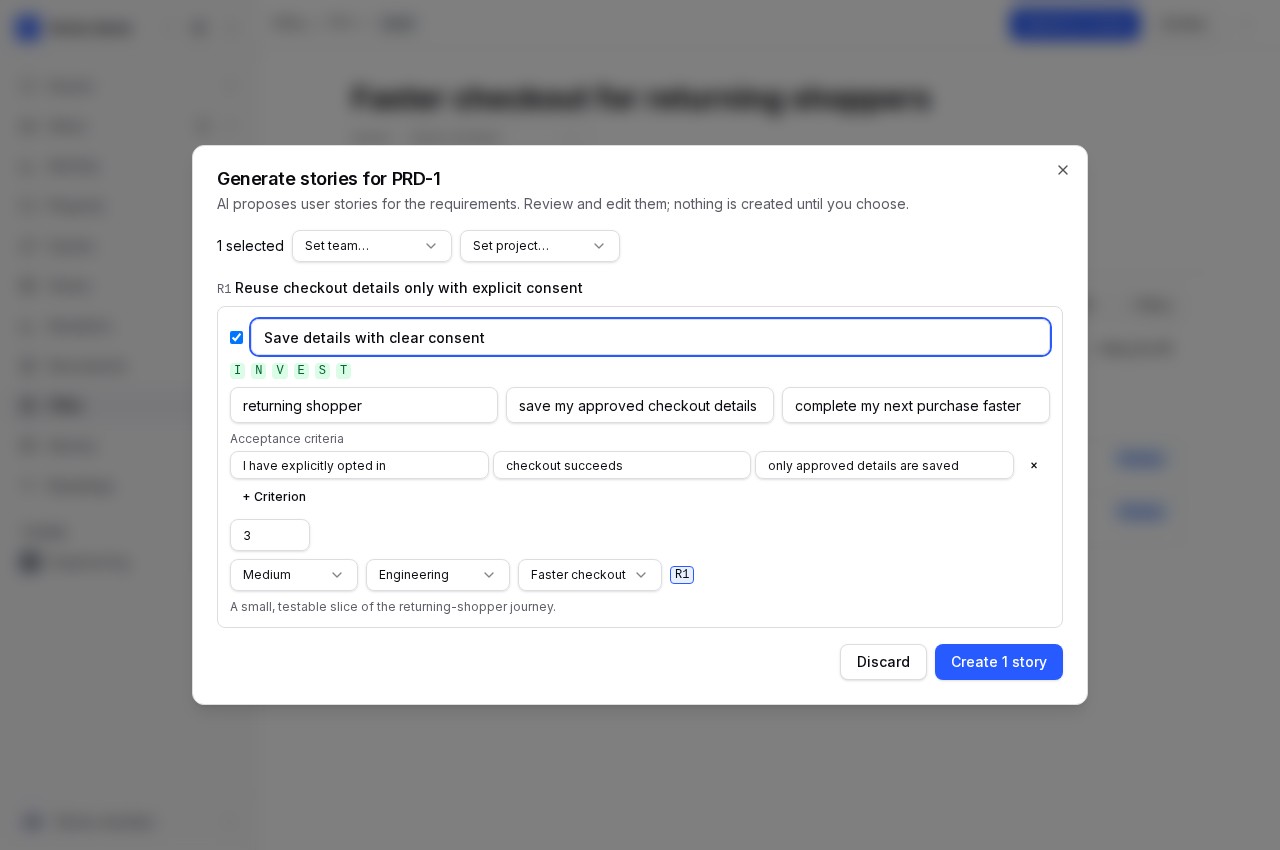
Nothing is created just by reviewing proposals. Story creation reports individual successes and failures; check those results before retrying. Story-to-issue confirmation uses one batch and supports up to 50 issues. Its AI bulk review supports up to five selected stories per proposal run.
Create issues and track progress
Create issues also works manually: review task titles, descriptions, team, project, points and criterion coverage, then confirm. Created issues link back to their source story. Follow those links to investigate delivery and return to the PRD's Stories tab for requirement coverage and aggregate progress. Story status and linked issue progress are separate signals; review both before declaring an outcome complete.
From idea to issues · AI plans and cost controls · PRDs · Velocity CLI · Current MCP tools reference.