Product Requirements Documents
Capture the problem, agree on the scope, and trace requirements through user stories to delivery.
PRDs and manual user stories are available on every plan. Workspace members with editing access can create and update them; guests have read-only access. AI drafting requires Business or Enterprise and available workspace AI credits.
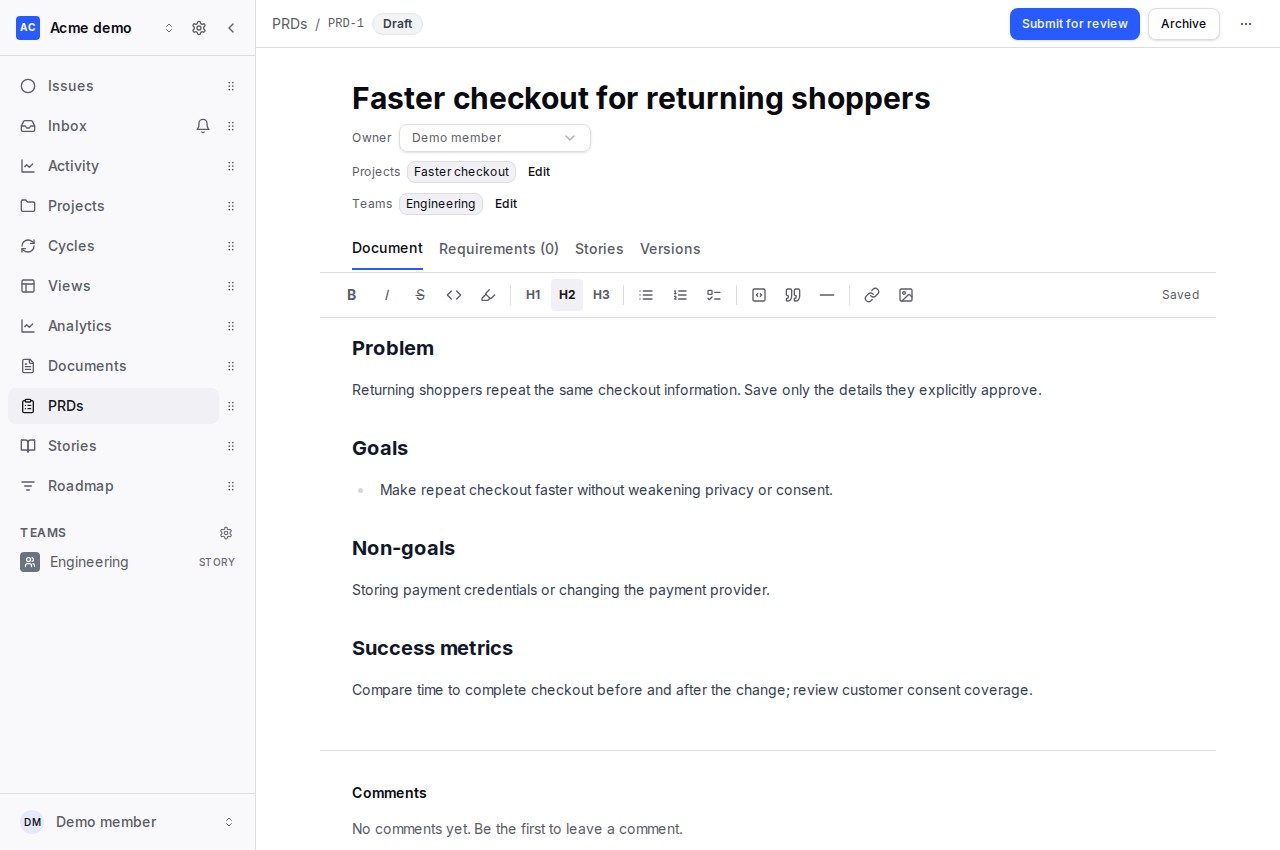
Create and edit a PRD
- Open PRDs in your workspace and choose New PRD.
- Give it a title and summary, choose an owner, and link the relevant teams and projects.
- Use the rich text editor for the problem, goals, non-goals, users, requirements, success metrics, scope and milestones, risks, and open questions. Edits save automatically.
Make requirements traceable
The Requirements tab gives each requirement a stable key such as R1. Choose functional or non-functional requirements and a Must, Should, Could, or Won't priority. Reorder by dragging, the move buttons, or Alt + ↑ / ↓ on a row. Removing a requirement warns when stories reference it.
Open Stories to add a story for a requirement or review the PRD's requirement coverage and linked delivery progress. Requirement coverage means a story addresses the requirement; it does not mean the work has shipped. Read User Stories for linking and issue creation.
Review and approval
Choose Submit for review when a draft is ready. The PRD owner or a workspace owner/admin can approve it or request changes. Approval preserves a version snapshot. Substantive edits to an approved PRD reopen review so the previous approval does not silently cover changed scope. You can also reopen for review or archive a PRD.
Versions
Use More actions → Save version to take an explicit snapshot. The Versions tab lets you inspect saved titles, content and requirements without changing the current PRD.
Draft with AI
Choose Generate with AI from the PRD list. Describe the idea, review clarification questions, and inspect the estimate when shown for a larger request. Clarification also uses AI credits. Review and edit the proposed content, requirements, teams and projects before saving the draft. Saving an AI draft does not approve it.
AI plans and cost controls · From idea to issues · GraphQL API · Current MCP tools reference. Dedicated PRD/story MCP planning tools are not included in the current tools reference.